> For the complete documentation index, see [llms.txt](https://utmify.gitbook.io/central-de-ajuda/llms.txt). Markdown versions of documentation pages are available by appending `.md` to page URLs; this page is available as [Markdown](https://utmify.gitbook.io/central-de-ajuda/help-center/faqs/how-do-i-remove-old-products-from-utmify.md).
# How do I remove old products from Utmify?
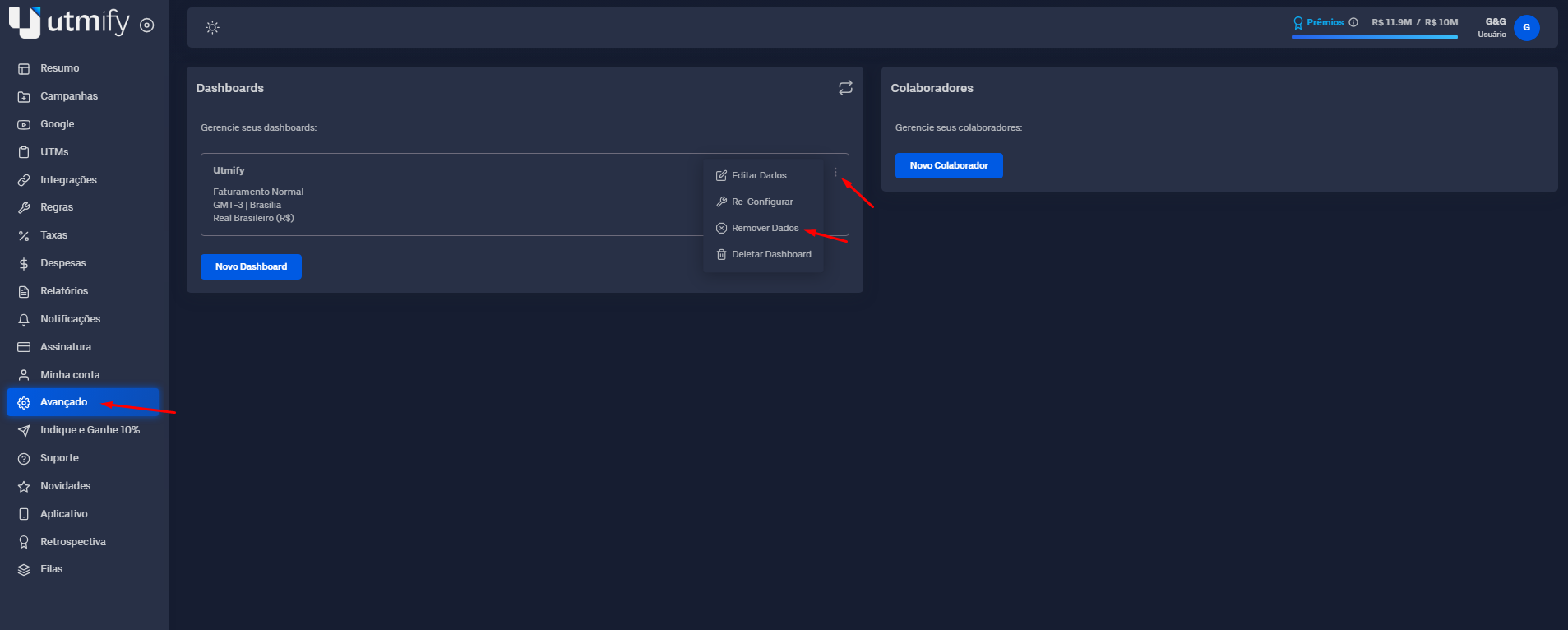
* Go to the **Advanced** tab, click the three dots, and then select **Remove data:**
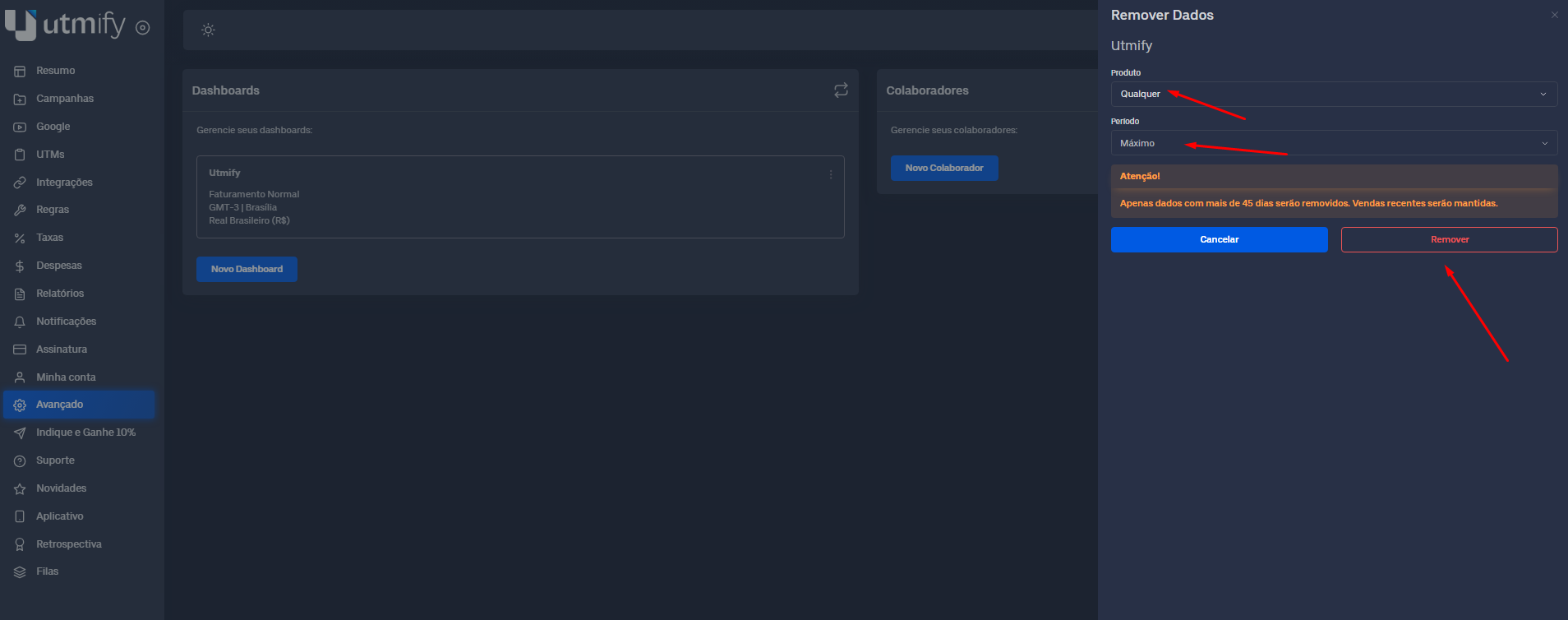
* Select the products and the time period for which you want to delete data from **Utmify**, then click **Remove**.
{% hint style="warning" %}
**Obs.:** Only data older than 45 days will be removed; recent sales will be retained.\
Important: When data (products) is removed, this includes **sales** information; as such, it is not only excluded from the **Summary** but also removed from the **rewards bar**.
{% endhint %}