> For the complete documentation index, see [llms.txt](https://utmify.gitbook.io/central-de-ajuda/llms.txt). Markdown versions of documentation pages are available by appending `.md` to page URLs; this page is available as [Markdown](https://utmify.gitbook.io/central-de-ajuda/help-center/faqs/how-do-i-edit-my-dashboard-and-add-new-metric.md).
# How do I edit my dashboard and add new metric
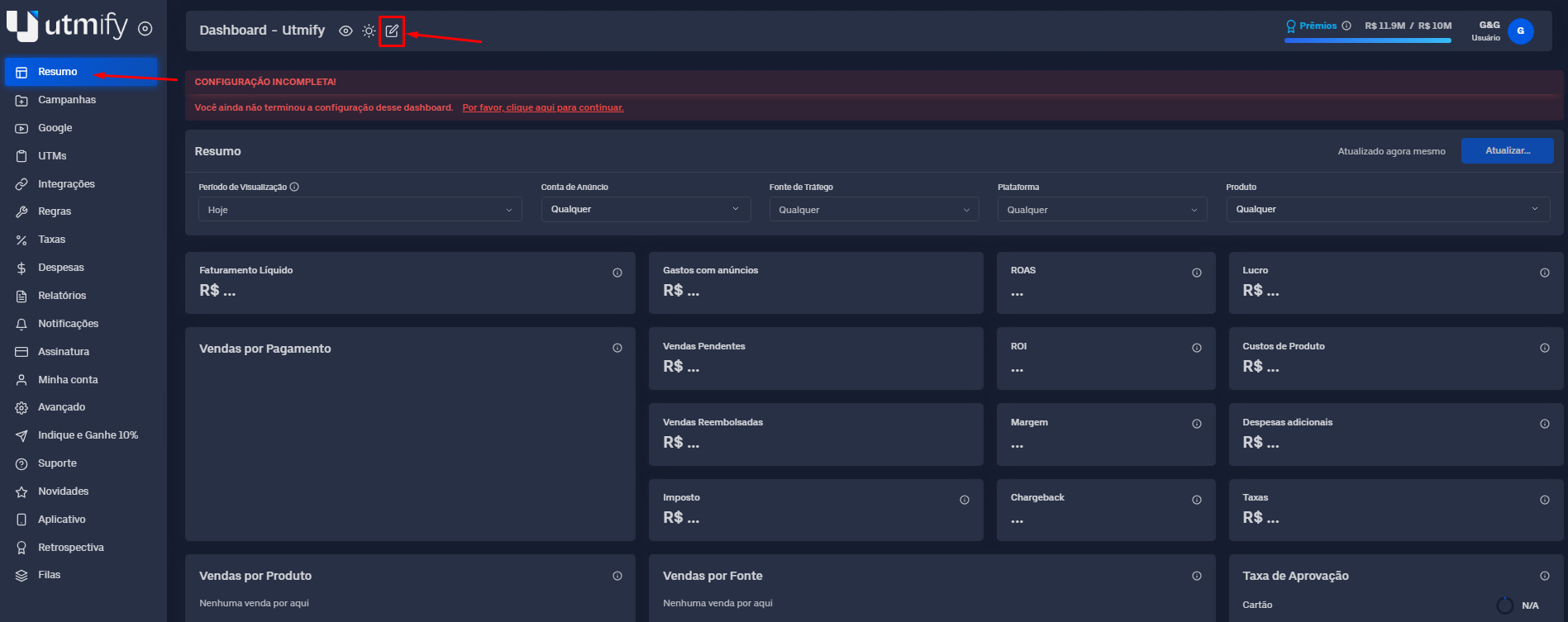
* Just go to the **Summary** tab, click the pencil icon, and new metrics will appear. Find the metric you want and drag it into the Summary. Then save the settings:
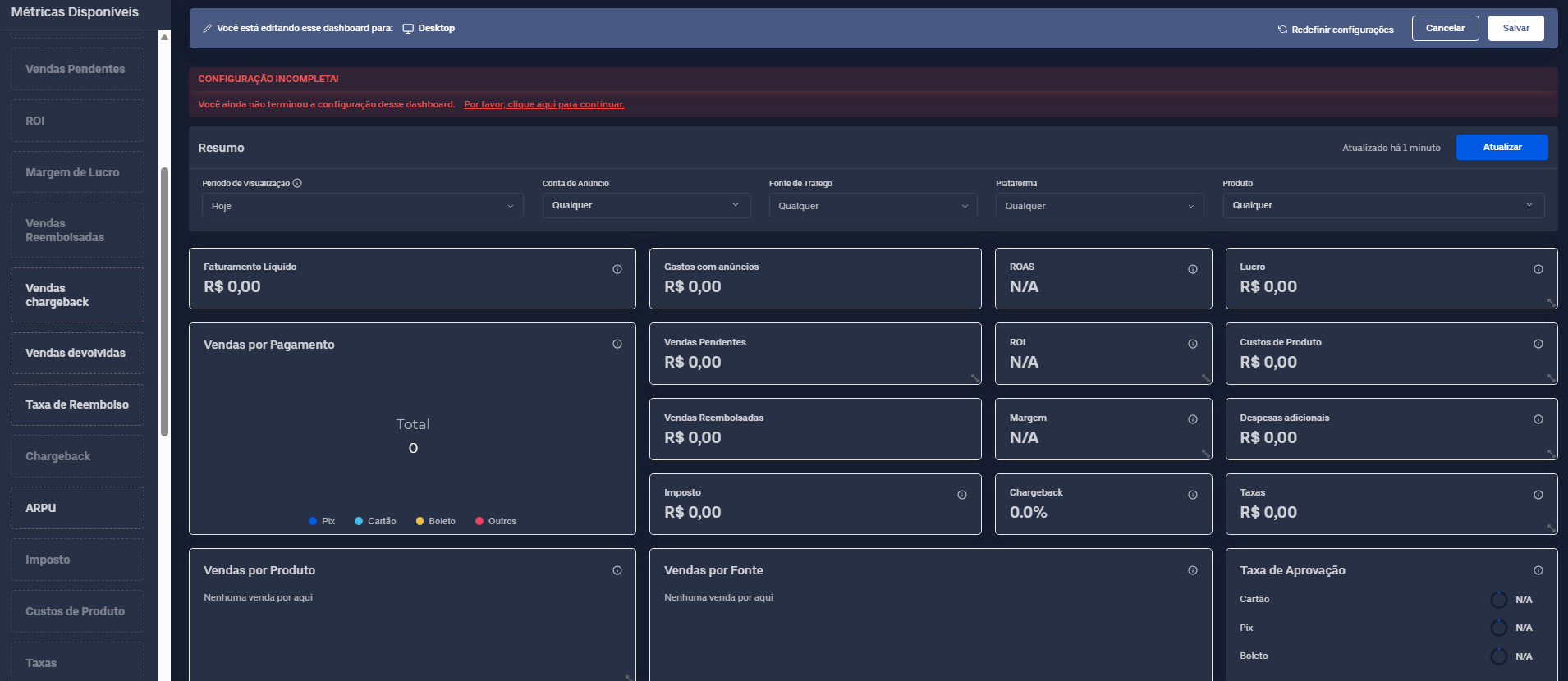
* New metrics will be displayed. Locate the metric you want and drag it into the Summary:
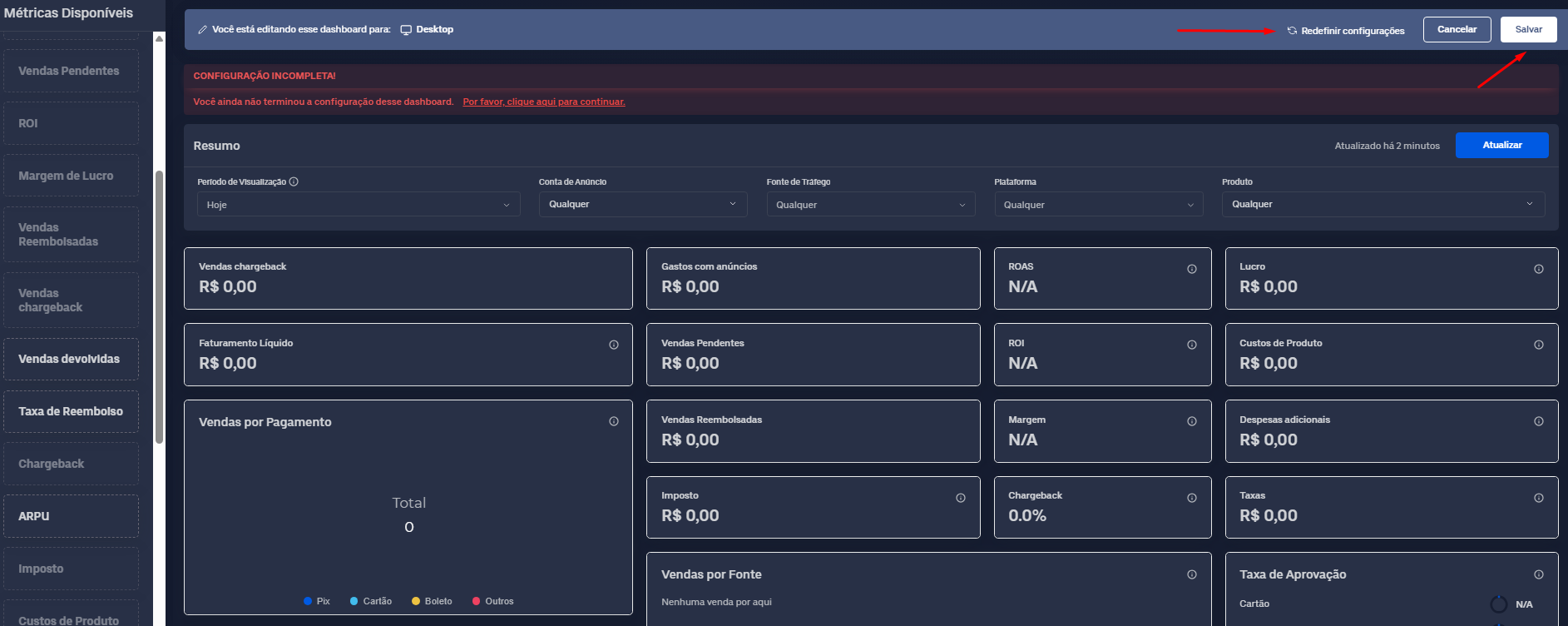
* Click **Save** to save the settings. To reset the settings, click **Reset** settings: