> For the complete documentation index, see [llms.txt](https://utmify.gitbook.io/central-de-ajuda/llms.txt). Markdown versions of documentation pages are available by appending `.md` to page URLs; this page is available as [Markdown](https://utmify.gitbook.io/central-de-ajuda/help-center/configuring-utms-in-ads/setting-up-utm-code-in-my-ads/configuring-utm-code-with-cloakers/kwai-ads-+-cloakers.md).
# Kwai Ads + Cloakers
1. Copy the appropriate UTM parameters to your sales platform:
> Kwai Ads UTM Code
> \
> **(For users using Hotmart)**
```
?utm_source=kwai&utm_campaign=__CMPNID__&utm_medium=__ADSETID__&utm_content=__ADID__&xcod=kwaihQwK21wXxR__CMPNID__hQwK21wXxR__ADSETID__hQwK21wXxR__ADID__hQwK21wXxR
```
> Kwai Ads UTM Code
> \
> **(For users using Cartpanda)**
```
?utm_source=kwai&utm_campaign=__CMPNID__&utm_medium=__ADSETID__&utm_content=__ADID__::__CALLBACK__::__KS_PIXELID__&cid=53049585125
```
> Kwai Ads UTM Code
> \
> **(For users using other sales platforms)**
```
?utm_source=kwai&utm_campaign=__CMPNID__&utm_medium=__ADSETID__&utm_content=__ADID__::__CALLBACK__::__KS_PIXELID__
```
1. Next, copy the parameters that your Cloaker makes available to you in your ads.
\
**EXAMPLE**: secretpassword=xq1x1x1x
2. At the end of the Utmify UTM parameter sequence, add the & symbol. This character will serve to connect your Cloaker's parameters to Utmify's, ensuring that the final URL is formatted correctly.
3. Após seguir os processos acima, junte ambos os parâmetros utilizando o passo 4, para que os parâmetros estejam sincronizados corretamente dessa forma abaixo:
```
?utm_source=kwai&utm_campaign=__CMPNID__&utm_medium=__ADSETID__&utm_content=__ADID__::__CALLBACK__::__KS_PIXELID__&senhasecreta=xq1x1x1x
```
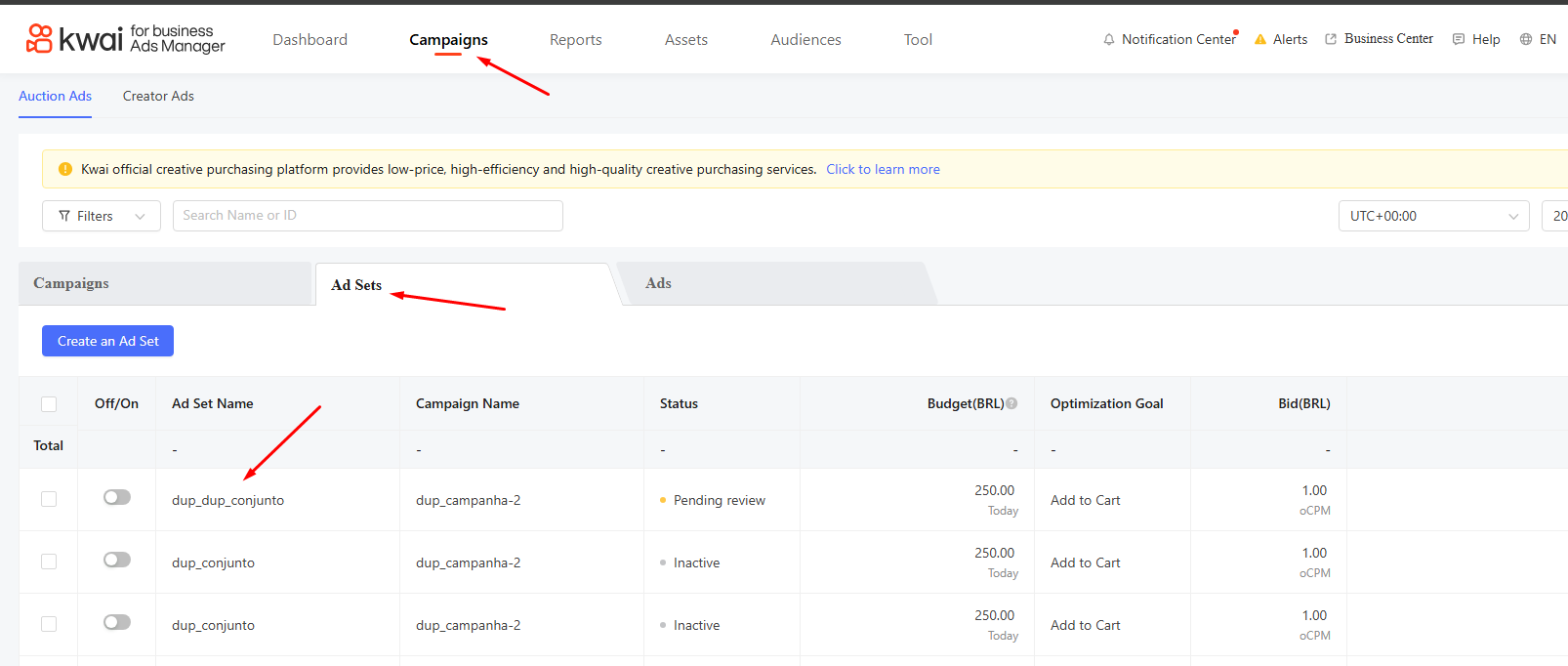
4. Inside Campaigns, under Ad Sets, select the set you want to configure with the UTM code:
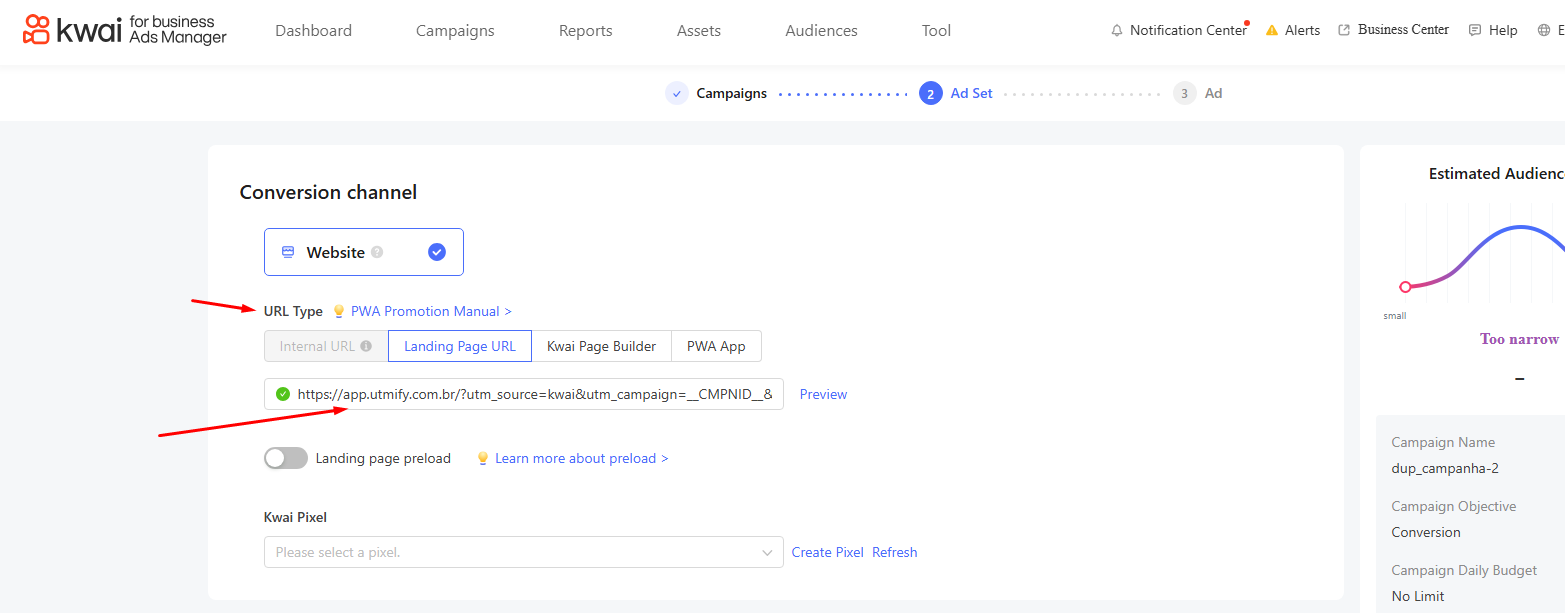
5. Under URL Type, add your sales page URL, and after the URL, paste the Kwai Ads UTM code appropriate for your sales platform + Cloaker parameters: