> For the complete documentation index, see [llms.txt](https://utmify.gitbook.io/central-de-ajuda/llms.txt). Markdown versions of documentation pages are available by appending `.md` to page URLs; this page is available as [Markdown](https://utmify.gitbook.io/central-de-ajuda/help-center/all-about-utmify-tabs/tabs-utmify/utms.md).
# UTMs
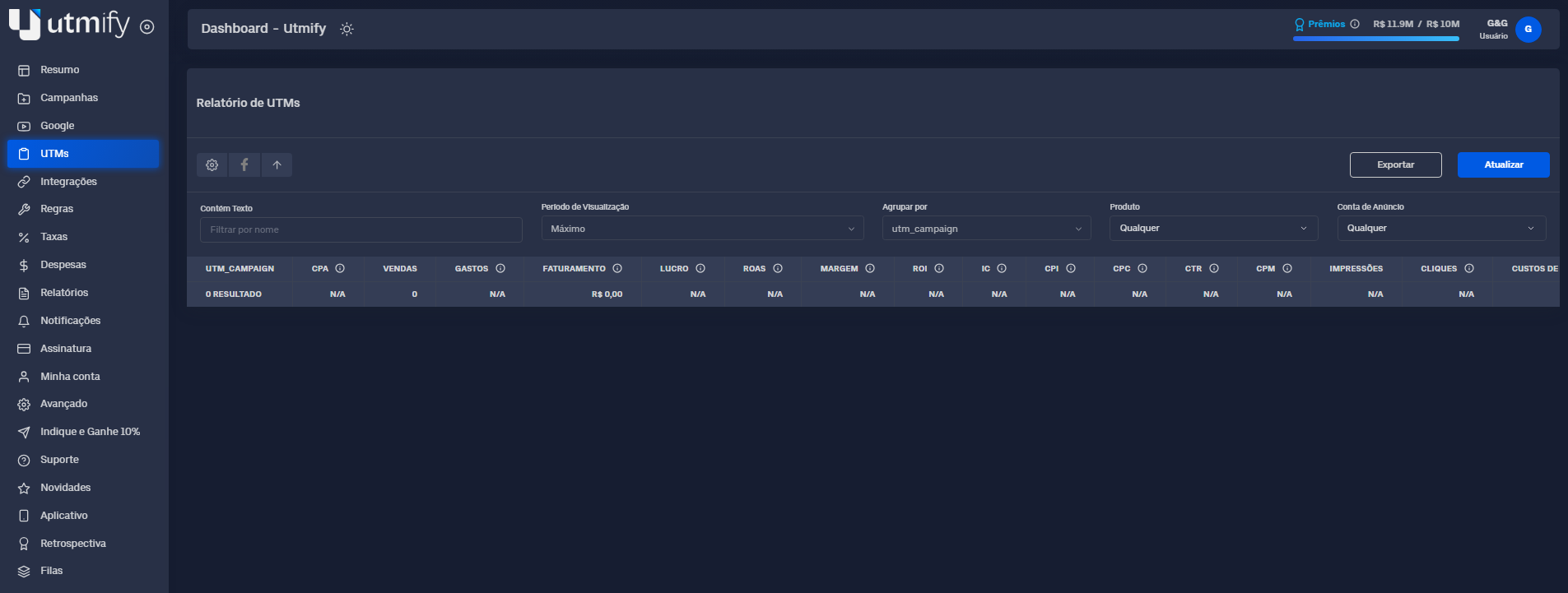
The **UTMs** tab is your central dashboard for **analyzing the performance of your operation based on UTM parameters.**\
It allows you to filter and cross-reference data from different levels, helping you understand performance in detail.
Its main purpose is to let you **track results segmented by UTMs**, allowing you to quickly identify which channels drive the most conversions and which creatives perform best. In addition, the **UTMs** tab lets you export all the information displayed on the dashboard for **external analysis** or **to share with your team.**
#### ✏️ What you can do on the Google tab
* **Identify** which channels generate the most conversions.
* **Determine** which creatives perform best.
* **Retrieve** data from Meta Ads.
#### 🛠️ Additional resources
* **Export** all information for external analysis or sharing.
***
📚 **In practice**
***
🔎 How can you identify which channels drive the most conversions?
{% embed url="" %}
How to determine which creatives perform best
{% embed url="" %}
\
How do I retrieve data from Meta Ads?
{% embed url="" %}
***
#### 🛠️ Additional resources
These are additional features designed to enhance your experience and optimize your operations within the **UTMs** tab.
***
📥**Export** all information for external analysis or sharing.
{% embed url="" %}
***
💡 **Tip:** Use the filters to view, in detail and with precision, only the most profitable data, so you can optimize your operations and make informed decisions.