> For the complete documentation index, see [llms.txt](https://utmify.gitbook.io/central-de-ajuda/llms.txt). Markdown versions of documentation pages are available by appending `.md` to page URLs; this page is available as [Markdown](https://utmify.gitbook.io/central-de-ajuda/help-center/all-about-utmify-tabs/tabs-utmify/tiktok.md).
# TikTok
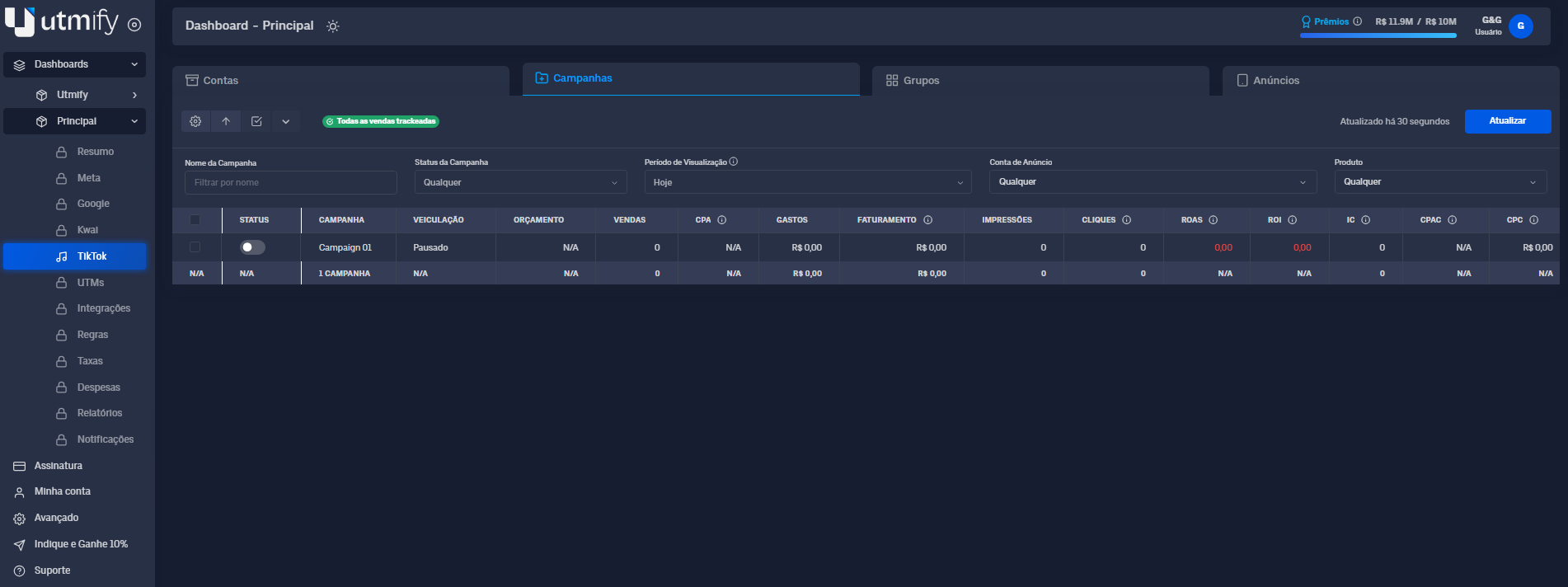
The TikTok tab is Utmify's native ad manager for TikTok Ads, designed to make it easy to track and analyze your results. Here, you can view the performance of campaigns, ad sets, and ads in real time, identifying what's actually selling and generating ROI, and also what's causing losses.
With it, you can make fast and accurate decisions, maximizing your results and fixing problems before they impact your sales.
Com ela, é possível tomar **decisões rápidas e precisas**, maximizando seus resultados e corrigindo problemas antes que impactem suas vendas.
#### ✏️ What you can do in the TikTok tab
* Enable or pause campaigns, ad sets, and ads.
* Adjust campaign and ad set budgets (increase or decrease).
* Pin campaigns, ad sets, and ads.
* Perform all these actions individually or in bulk.
#### 🛠️ Extra features
* Identify sales tracking bottlenecks: see if sales are being tracked correctly and understand the reasons when they're not.
* Analyze key metrics such as Sales, ROI, Profit, and Revenue.
* Evaluate performance not only by campaign, ad set, and ad, but also at the ad account level.
* Add, remove, and reorder metrics.
***
#### 📚 **In practice**
{% hint style="warning" %}
Budget adjustments, enabling or disabling campaigns, ad sets, ads, and pinning can all be done individually or in bulk.
{% endhint %}
***
**💸 How to enable and disable campaigns, ad sets, and ads**
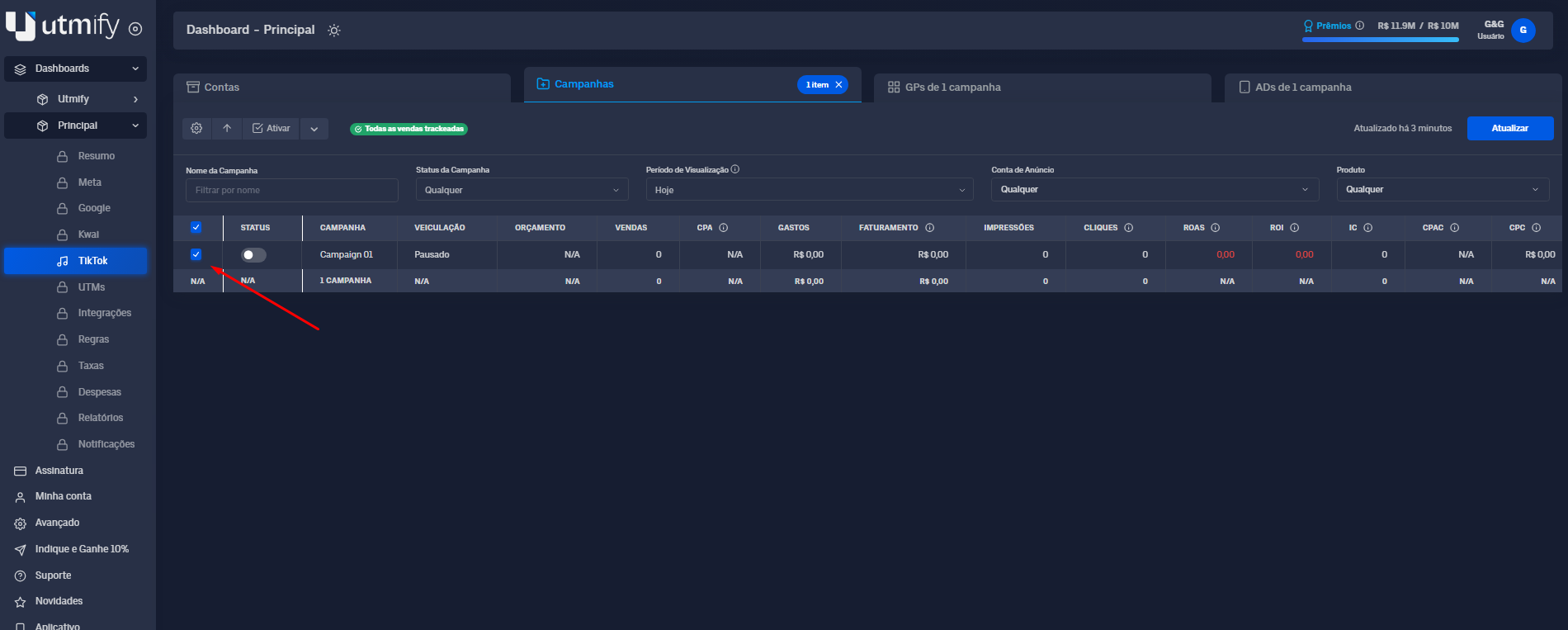
* Select the desired campaign, ad set, or ad:
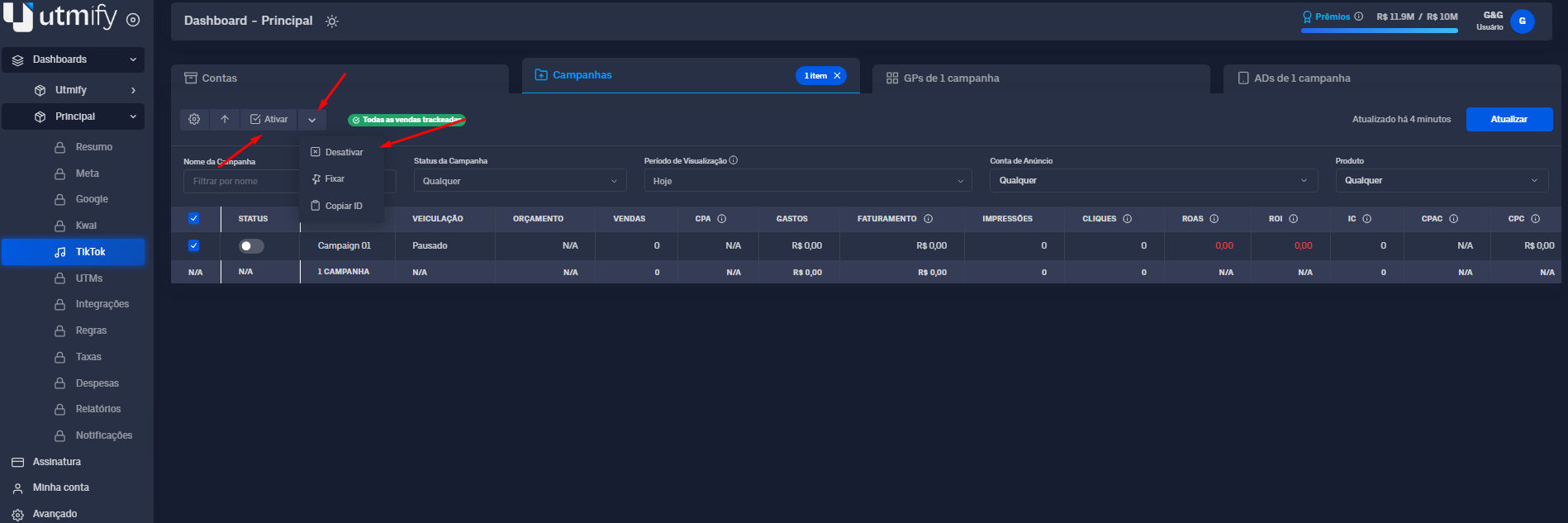
* Click the down arrow and then Enable or Disable to perform the desired action:
***
**📍 Pin campaigns, ad sets, and ads*****cios***
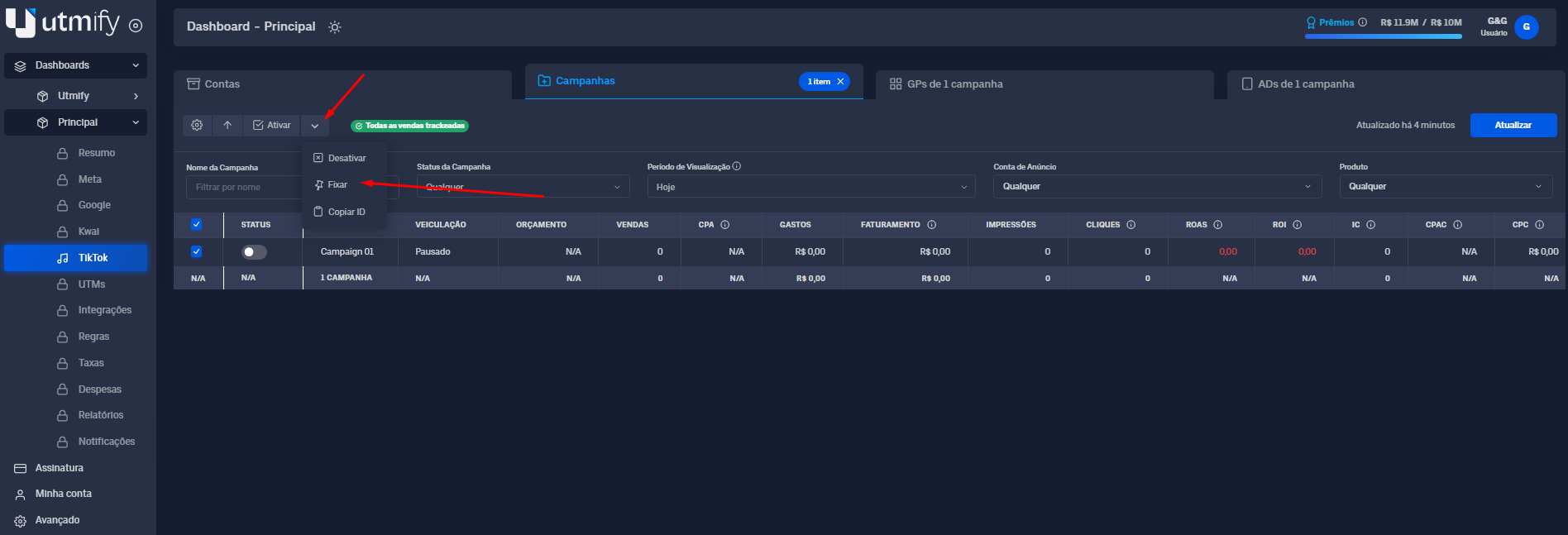
* Select the campaigns, ad sets, or ads you want to pin:
* Click the down arrow and then Pin:
#### 🛠️ Extra features
These are additional features to enhance your experience and optimize your operation within the TikTok tab.
***
⚙️ Add, remove, and reorder metrics.
{% embed url="" %}
***
💡 **Tip:** Use the filters to view, in a detailed and precise way, only the most profitable data, in order to optimize and make assertive decisions.