> For the complete documentation index, see [llms.txt](https://utmify.gitbook.io/central-de-ajuda/llms.txt). Markdown versions of documentation pages are available by appending `.md` to page URLs; this page is available as [Markdown](https://utmify.gitbook.io/central-de-ajuda/help-center/all-about-utmify-tabs/tabs-utmify/meta.md).
# Meta
#### Meta Tab: Your Meta Ads Manager
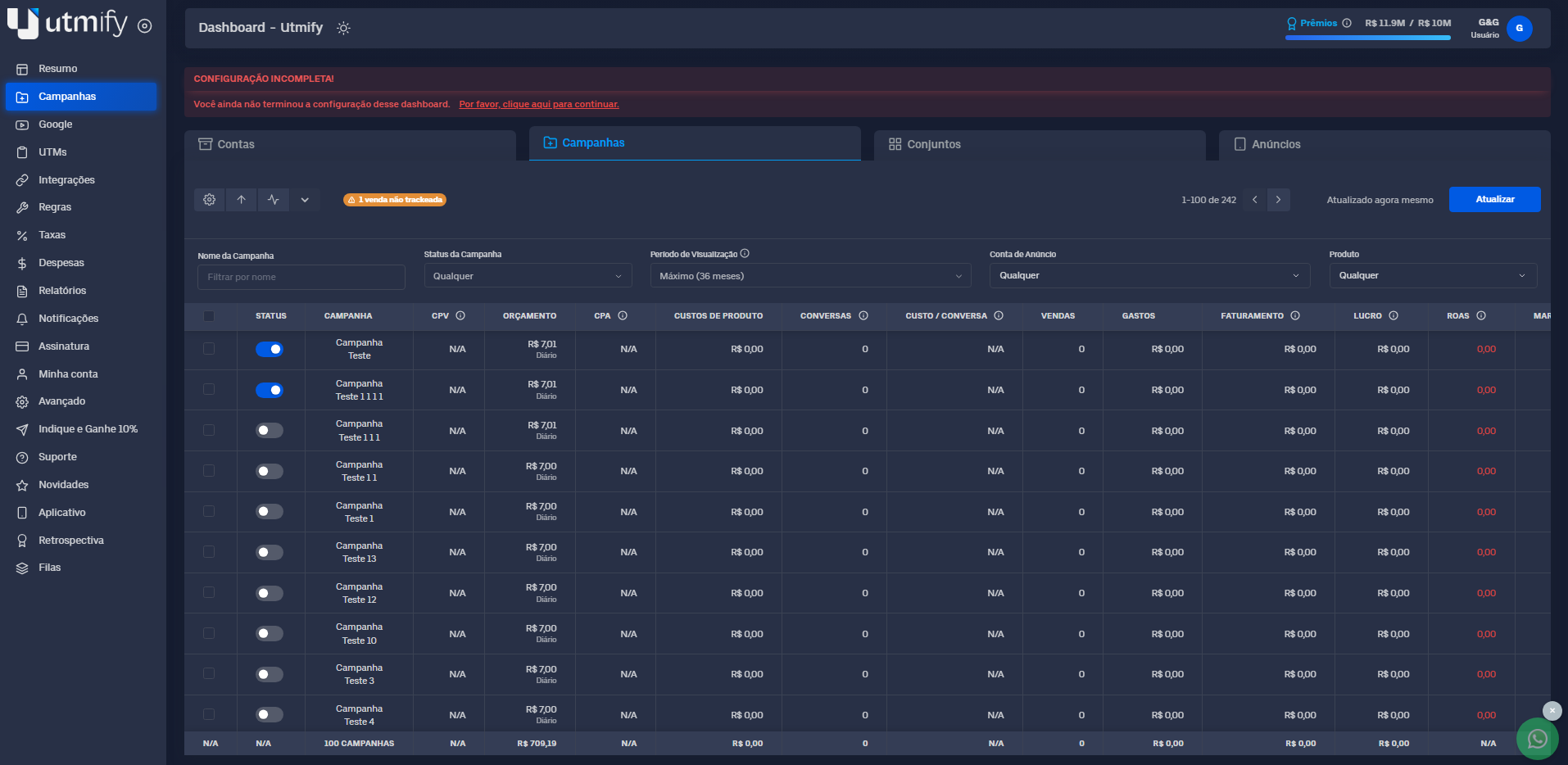
The **Meta tab** is Utmify’s built-in ad manager for Meta Ads. It is designed to make tracking and analyzing your results easier.
Here, you can view the performance of your campaigns, ad sets, and ads in real-time. This helps you see exactly what is making money (ROI) and what is losing money.
With this tab, you can make quick and accurate decisions to boost your sales and fix issues before they affect your budget.
With this tab, you can make quick and accurate decisions to boost your sales and fix issues before they affect your budget.
#### ✏️ What you can do in the Meta Tab
* **Adjust budgets**: Increase or decrease budgets for campaigns and ad sets.
* **Pause or Play**: Turn campaigns, ad sets, and ads on or off.
* **Duplicate**: Copy campaigns, ad sets, and ads to the same account or a different one.
* **Edit names**: Change the names of your campaigns, ad sets, and ads.
* **Pin items**: Pin important campaigns, ad sets, or ads to the top.
* **Bulk actions**: Do all of the above for one item at a time or many at once.
####
#### 🛠️ Extra Features
* **Identify tracking issues**: Check if your sales are being tracked correctly and understand why if they aren't.
* **Analyze key metrics**: See your Sales, ROI, Profit, and Revenue.
* **Full view**: Check performance at the campaign, ad set, and ad level, or see the total for the whole ad account.
* **UTM Check**: Verify if your ads have the correct UTM settings.
* **Customize your view**: Add, remove, or reorder your metrics columns.
####
***
#### 📚 **In Practice**
{% hint style="warning" %}
You can adjust budgets, duplicate items, or turn ads on/off individually or in bulk (all at once).
{% endhint %}
***
**💸 How to adjust budgets (increase or decrease):**
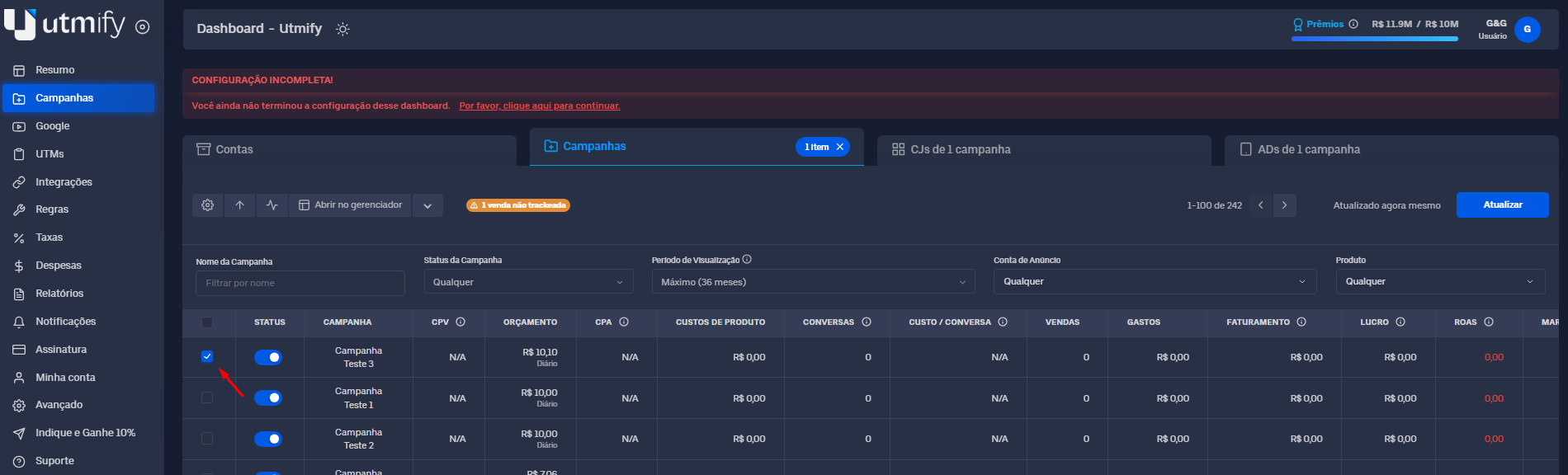
* Select the campaign or ad set you want to change:
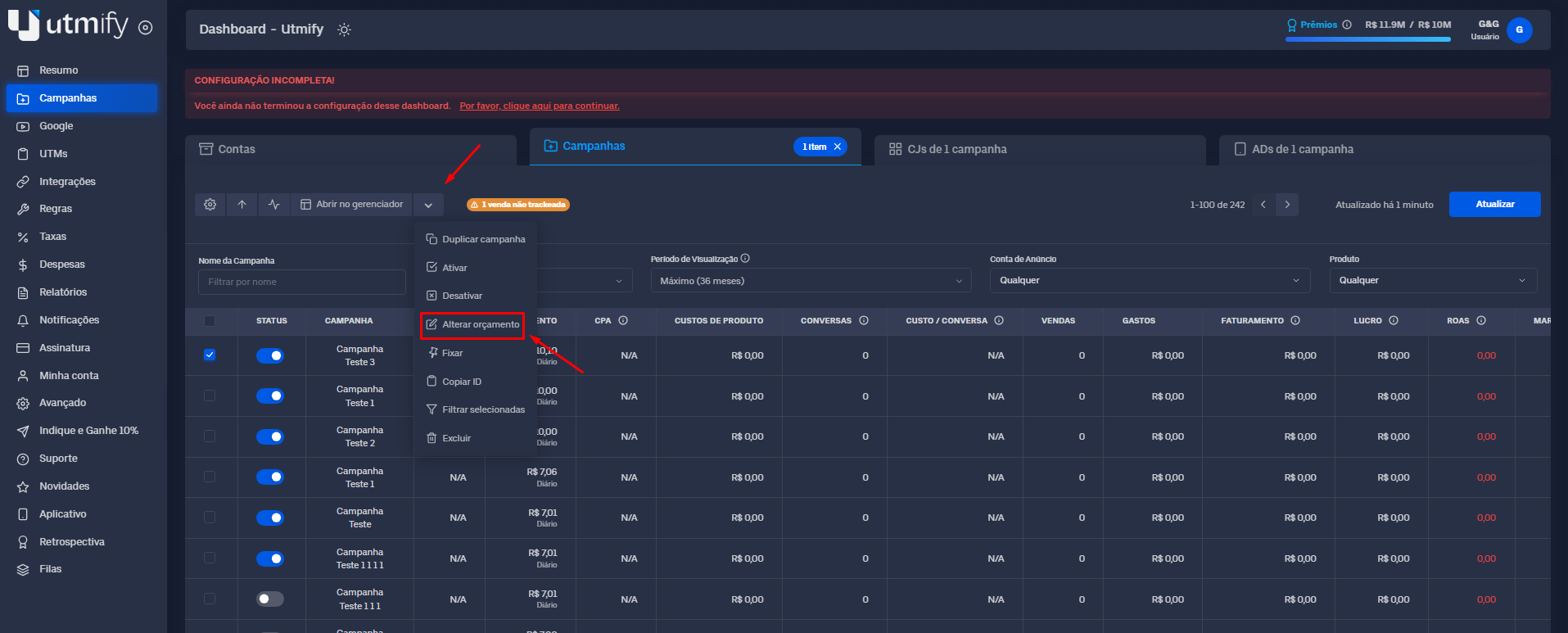
* How to Adjust Budgets **Increase or Decrease**
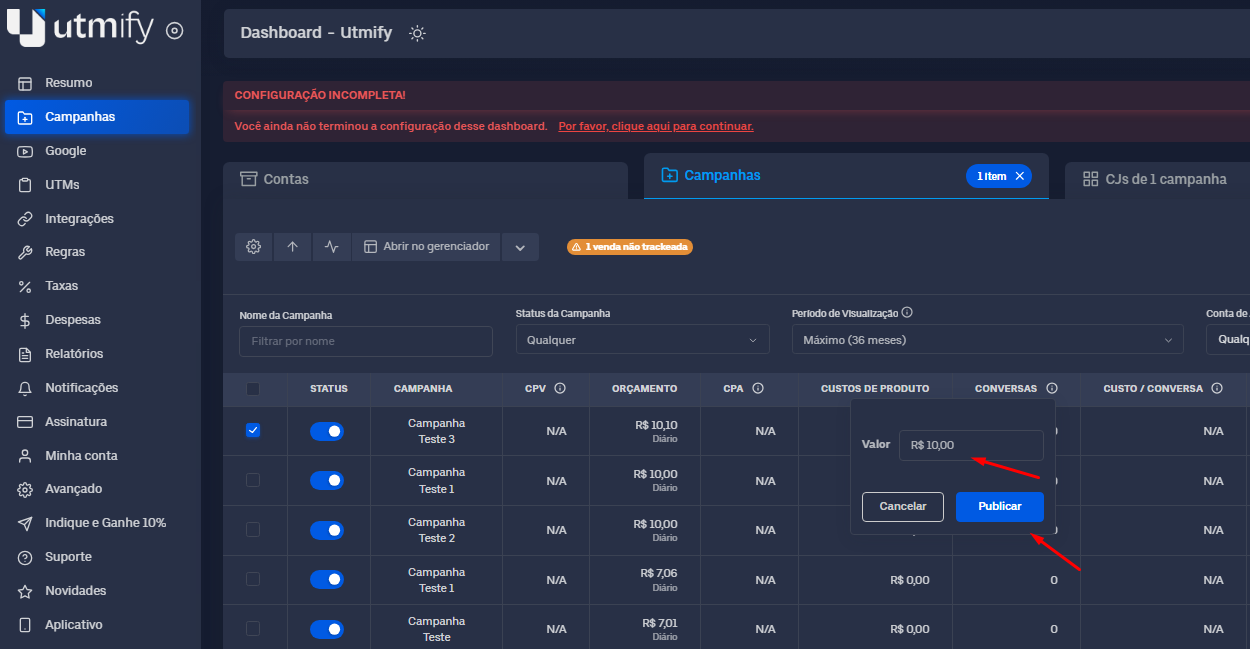
* Enter the new budget and click **Publish** to save your changes.
***
⏸️ **Turn Campaigns, Ad Sets, and Ads On or Off**
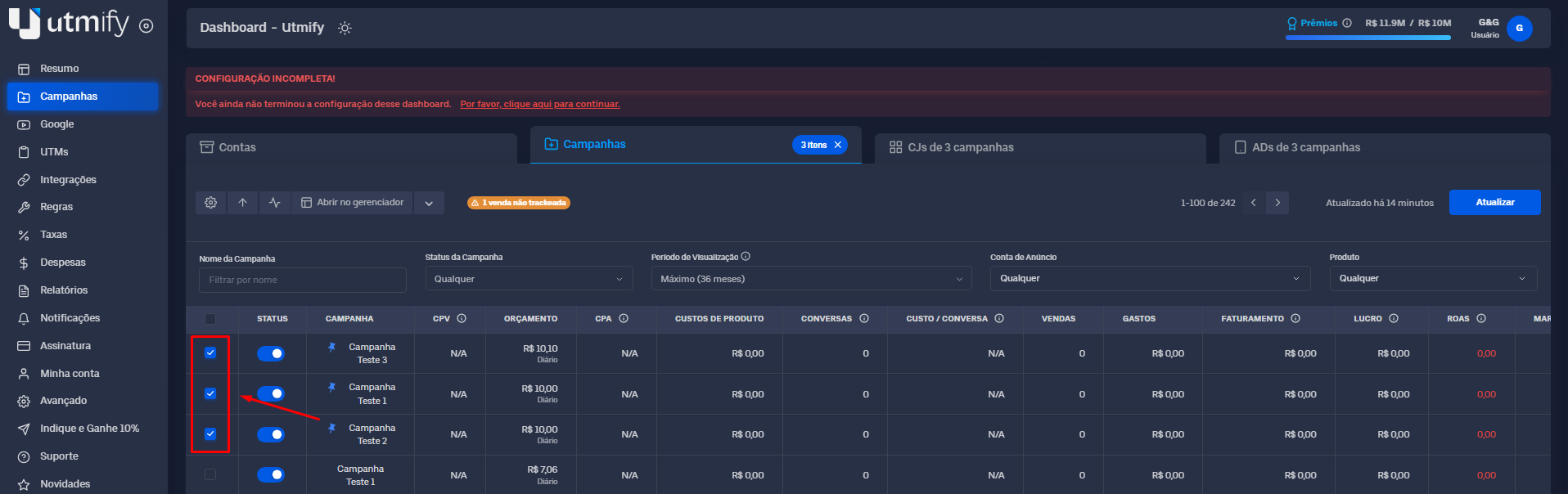
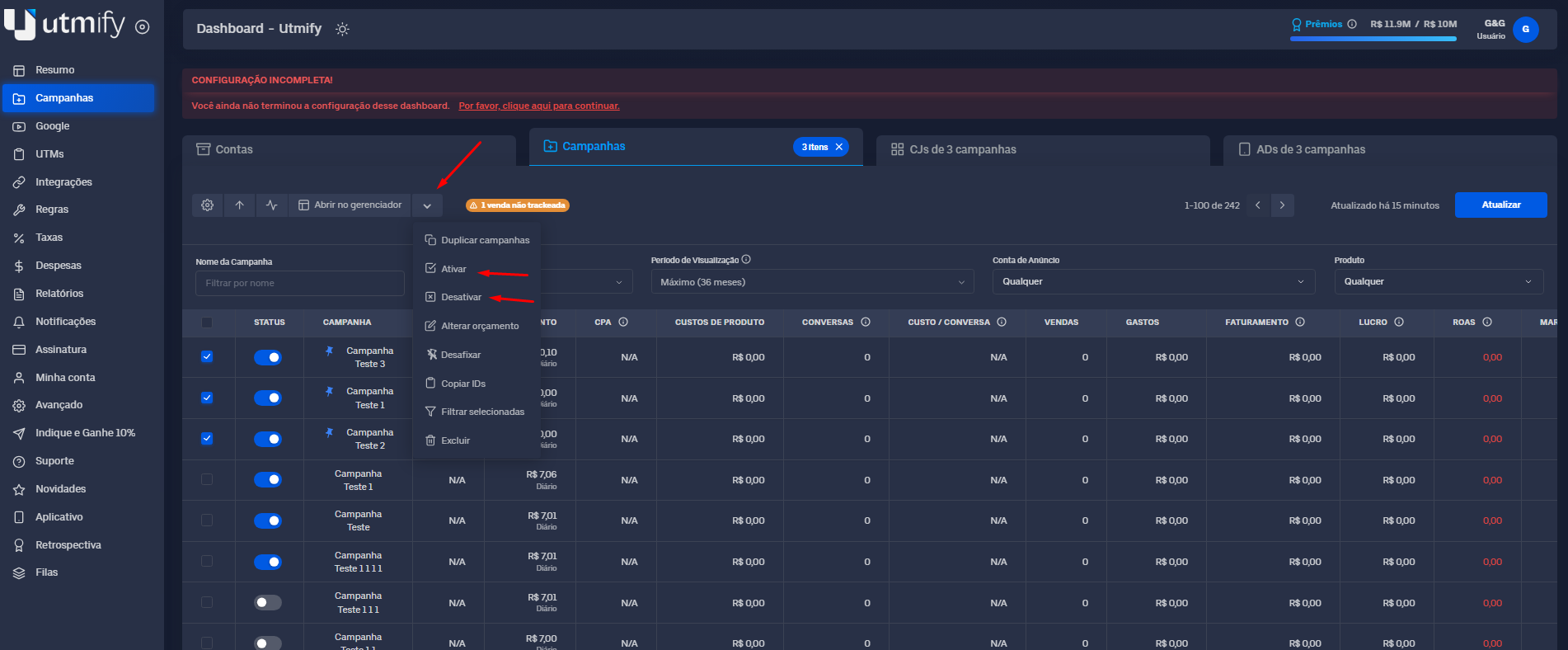
* Select the campaigns, ad sets, or ads you want to change.
* Click the **down arrow** and choose **Activate** (Turn On) or **Pause** (Turn Off).
***
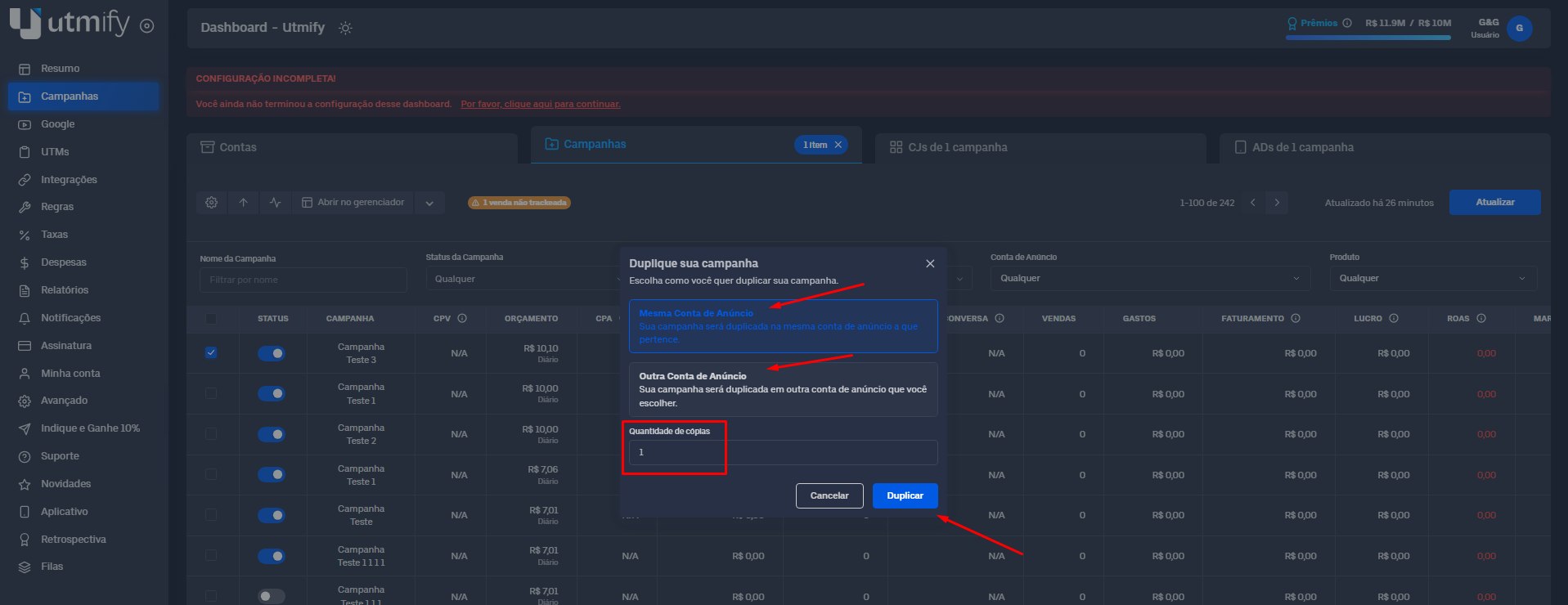
✖️ **Duplicate Campaigns, Ad Sets, and Ads**
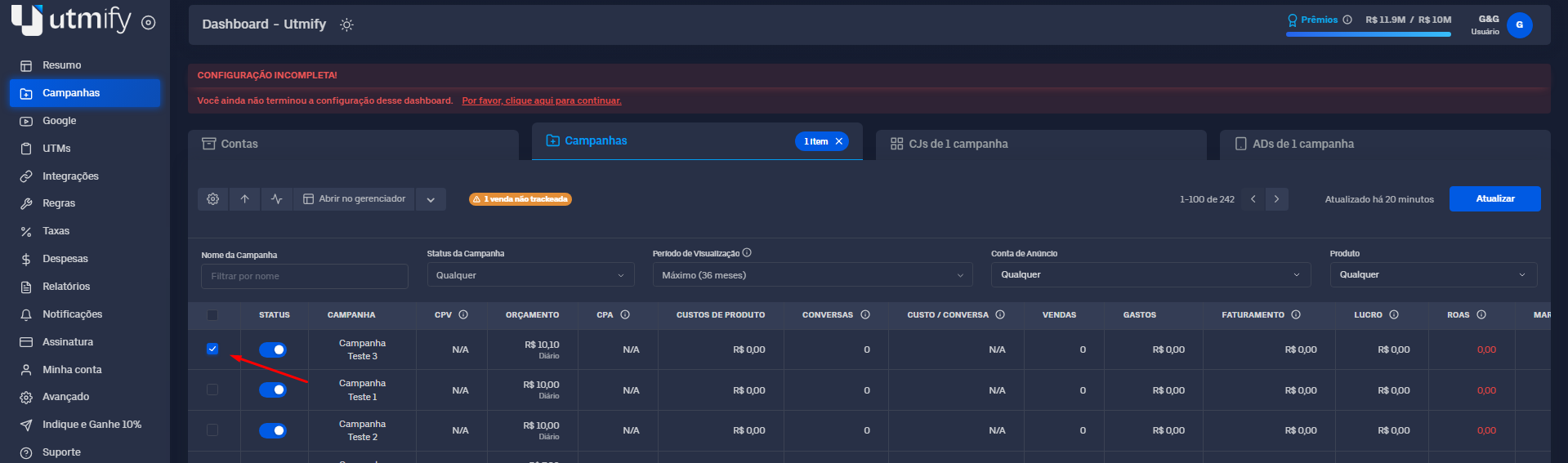
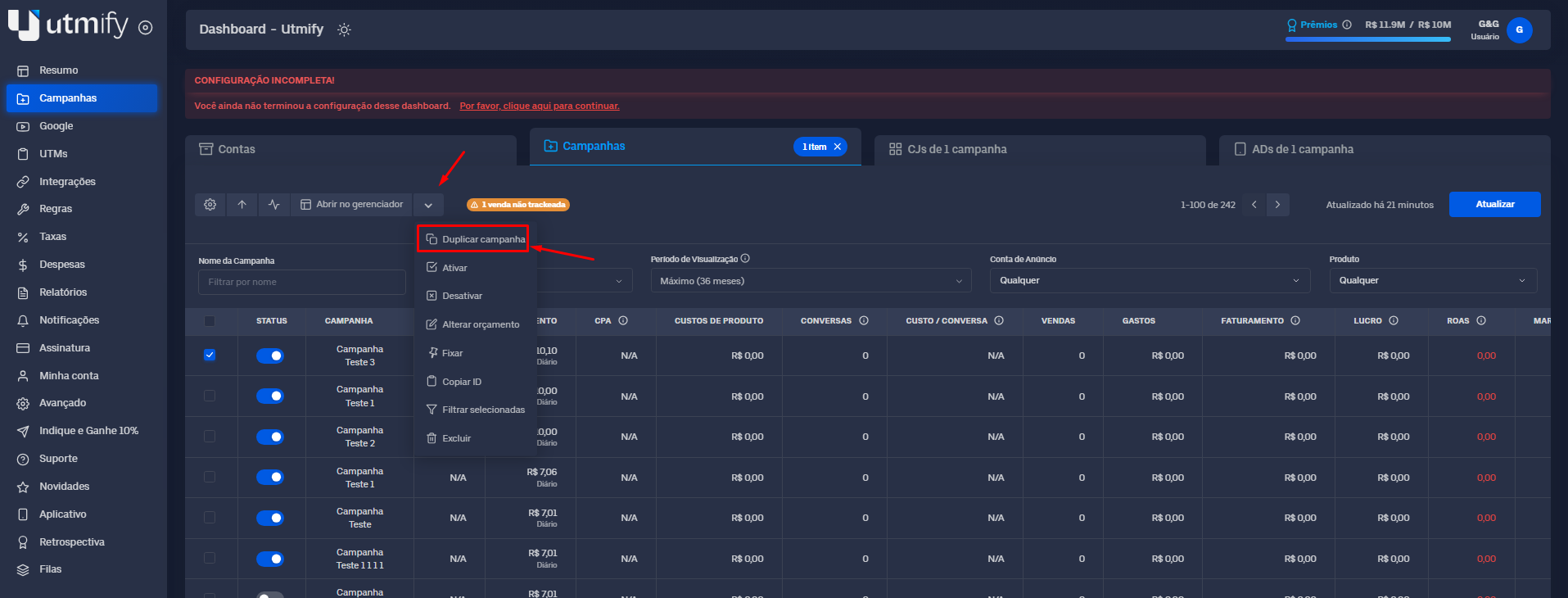
* Select the campaign, ad set, or ad you want to copy.
* Click the down arrow and select **Duplicate Campaign.**
* Choose if you want to duplicate it to the same account or a different one. Select the number of copies you want and click Duplicate.
***
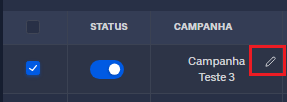
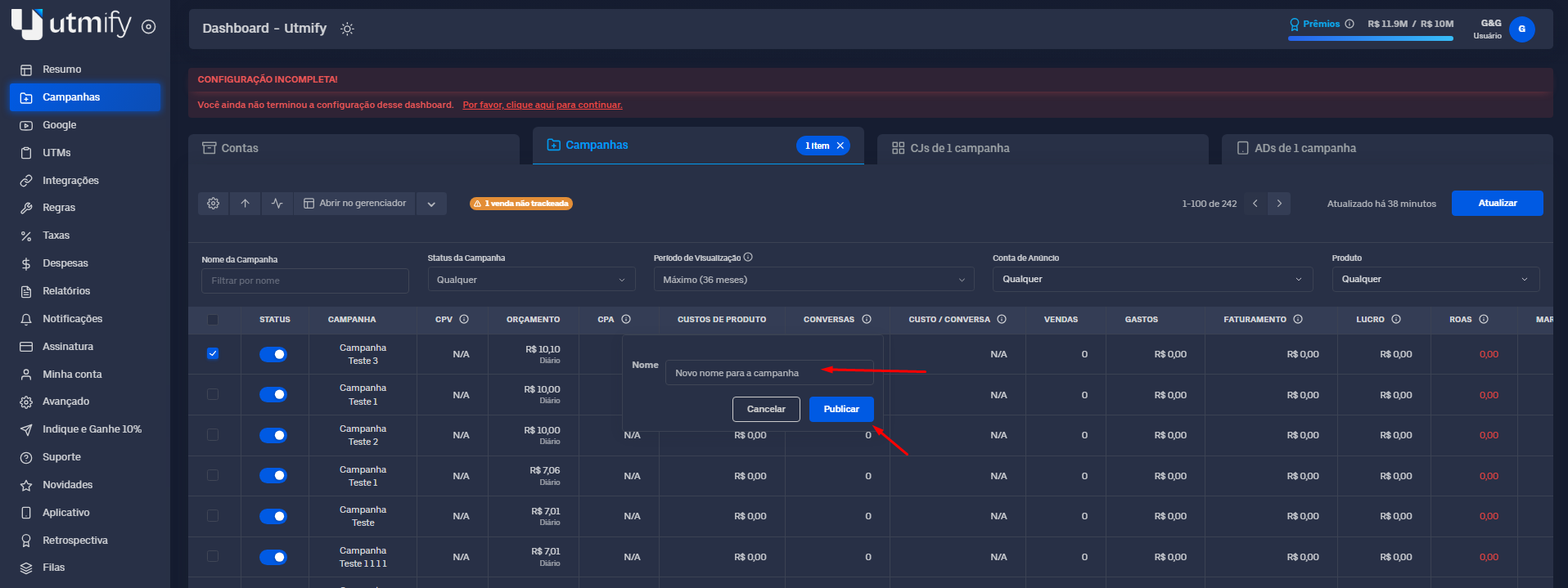
✏️ **Edit campaign, set, and ad names:**
* Hover your mouse over the name of the campaign, ad set, or ad you want to change.
Click the **pencil icon**.
* Type the new name and click **Publish** to save.
***
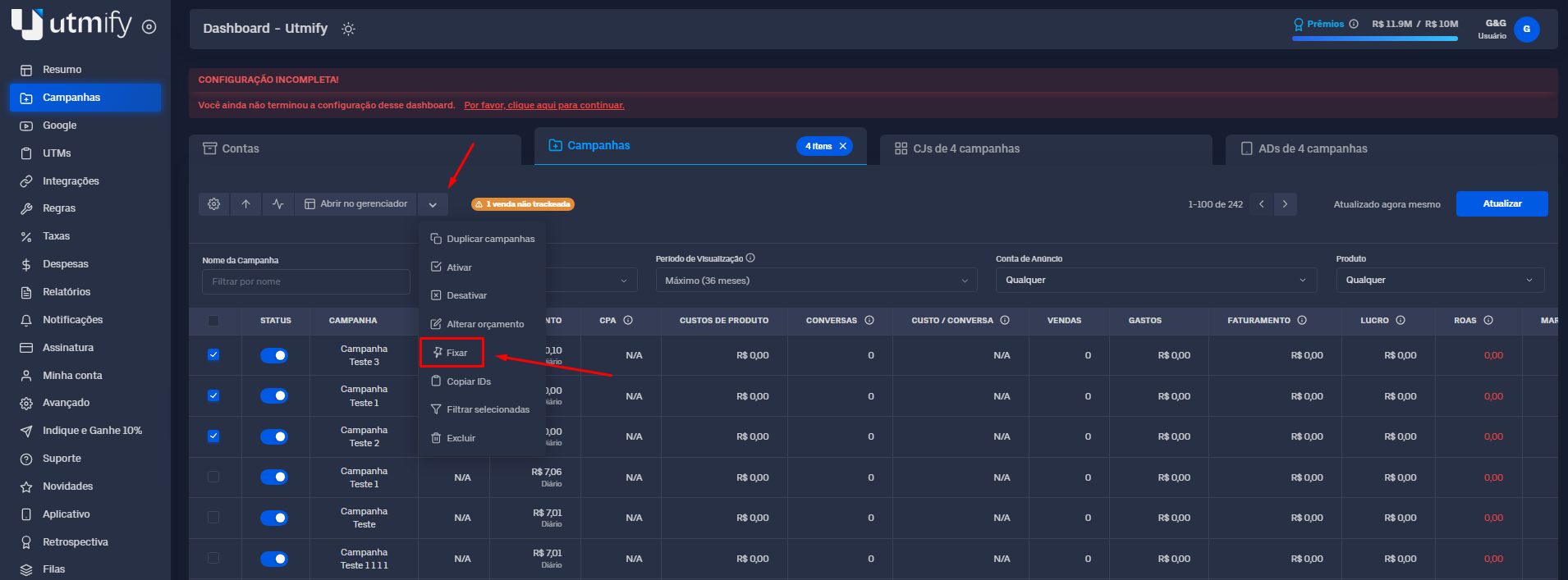
📍 **Pin Campaigns, Ad Sets, and Ads**
* Select the campaigns, sets, or ads you want to pin:
* Click the **down arrow** and select **Pin**.
***
#### 🛠️ Extra Features
These are additional tools to help you optimize your operations within the **Campaigns** tab.
🔍 Diagnostic UTMs
{% embed url="" %}
⚙️ **Edit Columns**: Add, remove, or reorder your metric columns.
{% embed url="" %}
***
💡**Tip:** Use filters to see only your most profitable data. This helps you make better decisions and optimize your results quickly.