> For the complete documentation index, see [llms.txt](https://utmify.gitbook.io/central-de-ajuda/llms.txt). Markdown versions of documentation pages are available by appending `.md` to page URLs; this page is available as [Markdown](https://utmify.gitbook.io/central-de-ajuda/help-center/all-about-utmify-tabs/tabs-utmify/kwai.md).
# Kwai
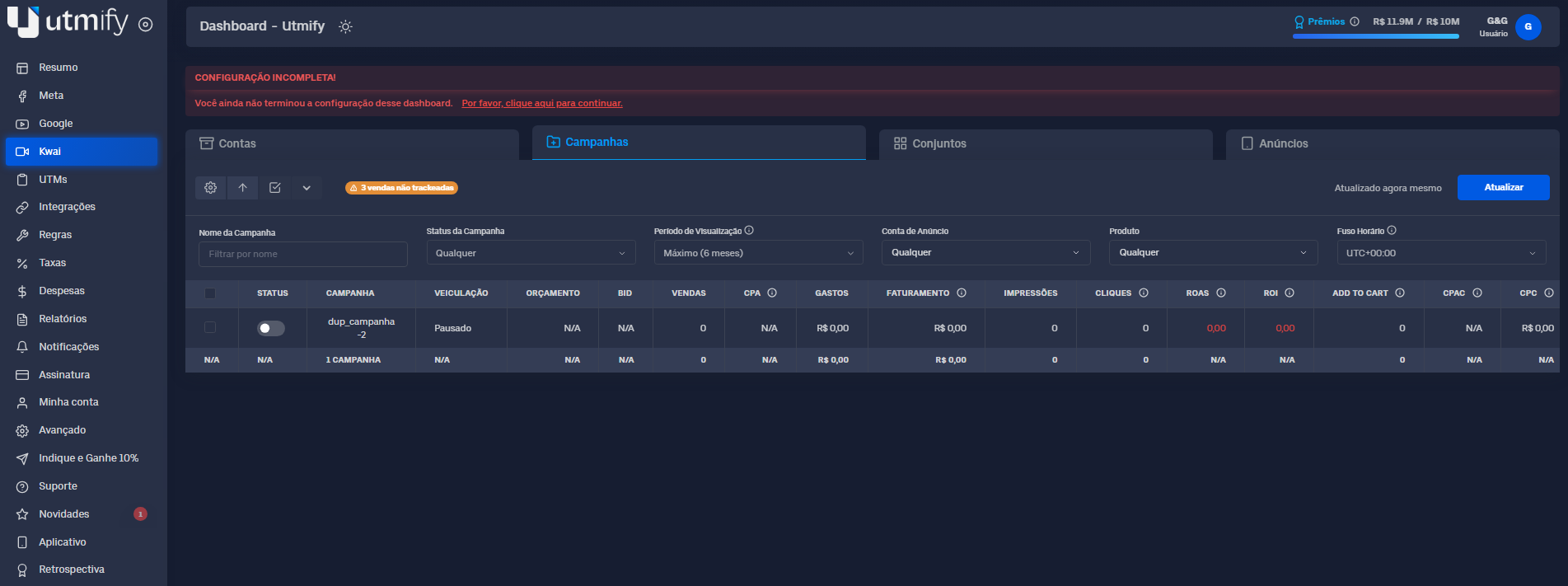
The Kwai tab is Utmify's native ad manager for Kwai Ads, designed to make it easy to track and analyze your results.
\
Here, you can visualize the performance of campaigns, sets, and ads in real time, identifying what's actually selling and generating ROI, as well as what's causing a loss.
With it, you can make quick and accurate decisions, maximizing your results and fixing problems before they impact your sales.
#### ✏️ What you can do in the Kwai tab
* **Activate or pause** campaigns, sets and ads.
\
**Pin** campaigns, sets and ads.
\
Carry out all these actions **individually** or **en masse**.
#### 🛠️ Extra resources
* **Identify sales tracking bottlenecks**: See if sales are being tracked correctly and understand the reasons when they aren't.
* **Analyze key** **metrics** such as **Sales, ROI, Profit, and Billing.**
* Evaluate performance not only by campaign, sets, and ad, but also at the **ad** **account level.**
* **Add, delete**, and **reorder** metrics.
***
#### 📚 **In practice**
{% hint style="warning" %}
Budget adjustment actions, activating or deactivating campaigns, sets, ads and pinning can be done individually and in bulk.
{% endhint %}
***
**💸 How to turn campaigns, sets, and ads on and off**
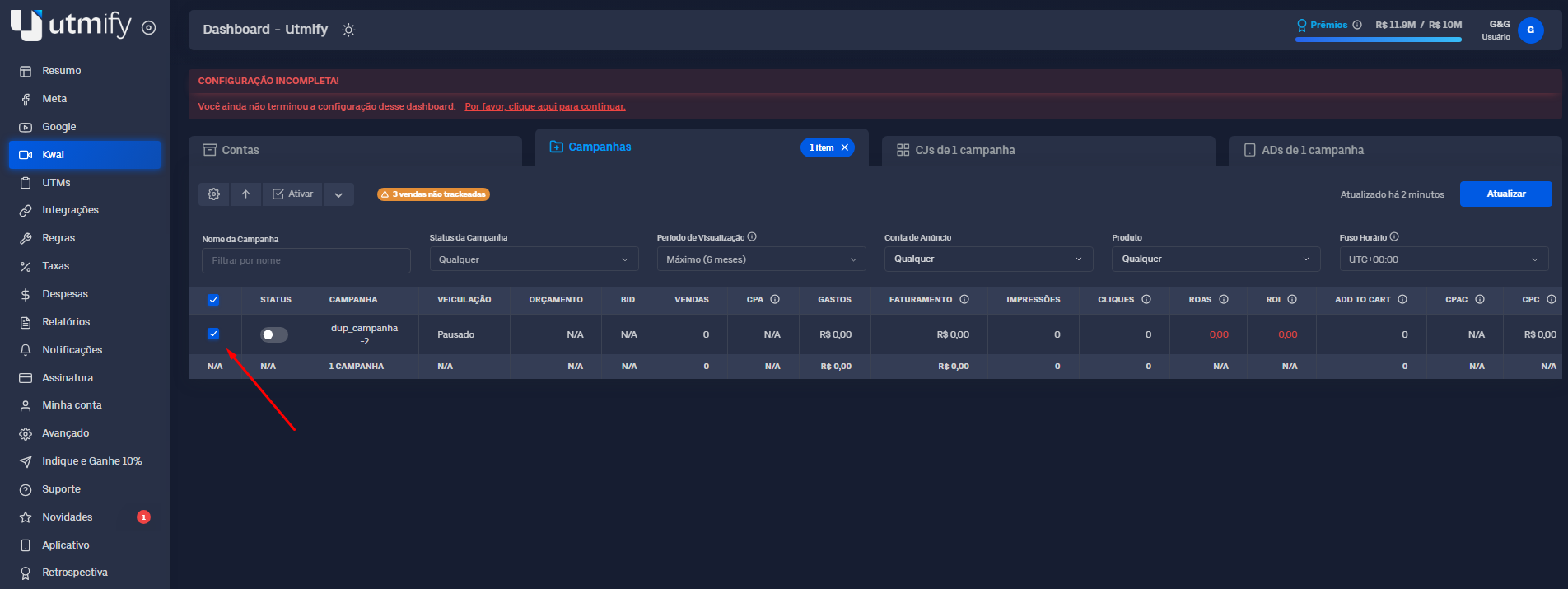
* Select the desired **campaign**, **set**, or **ad**:
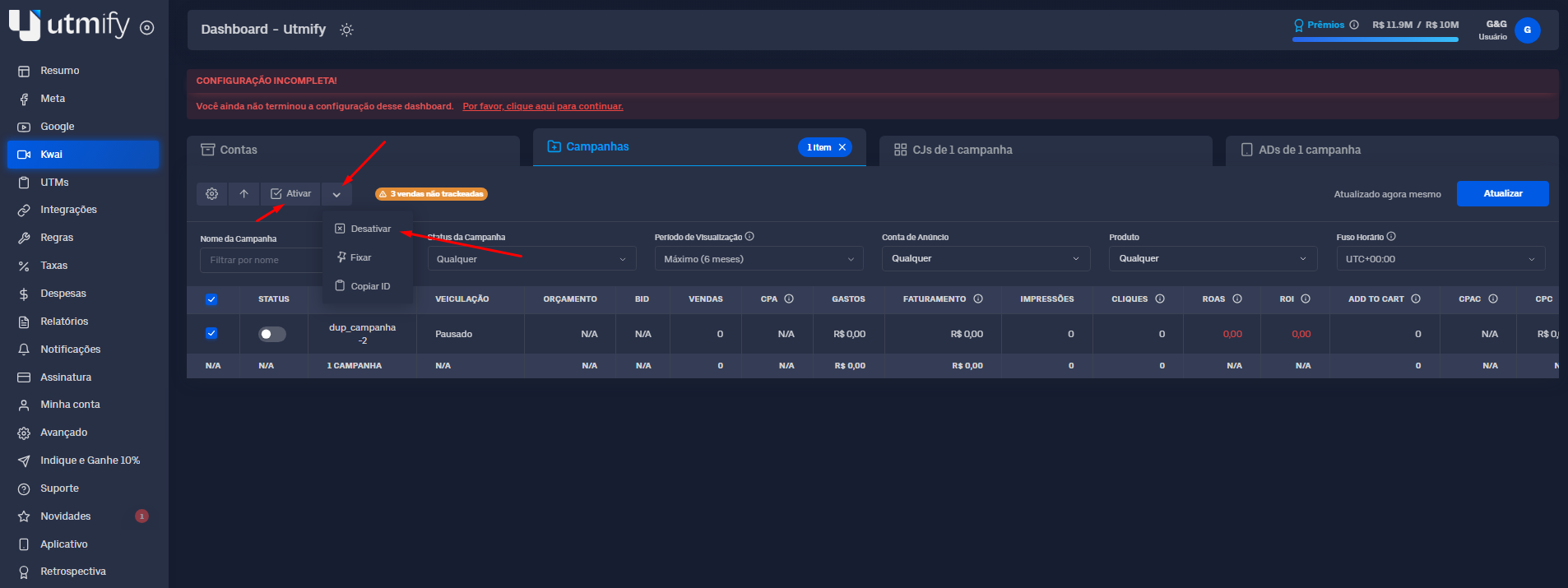
* Click the down arrow and Turn **On** or **Off** to perform the desired action:
***
📍 **Pin campaigns, sets and ads**
* Select the campaigns, sets, or ads you want to pin:
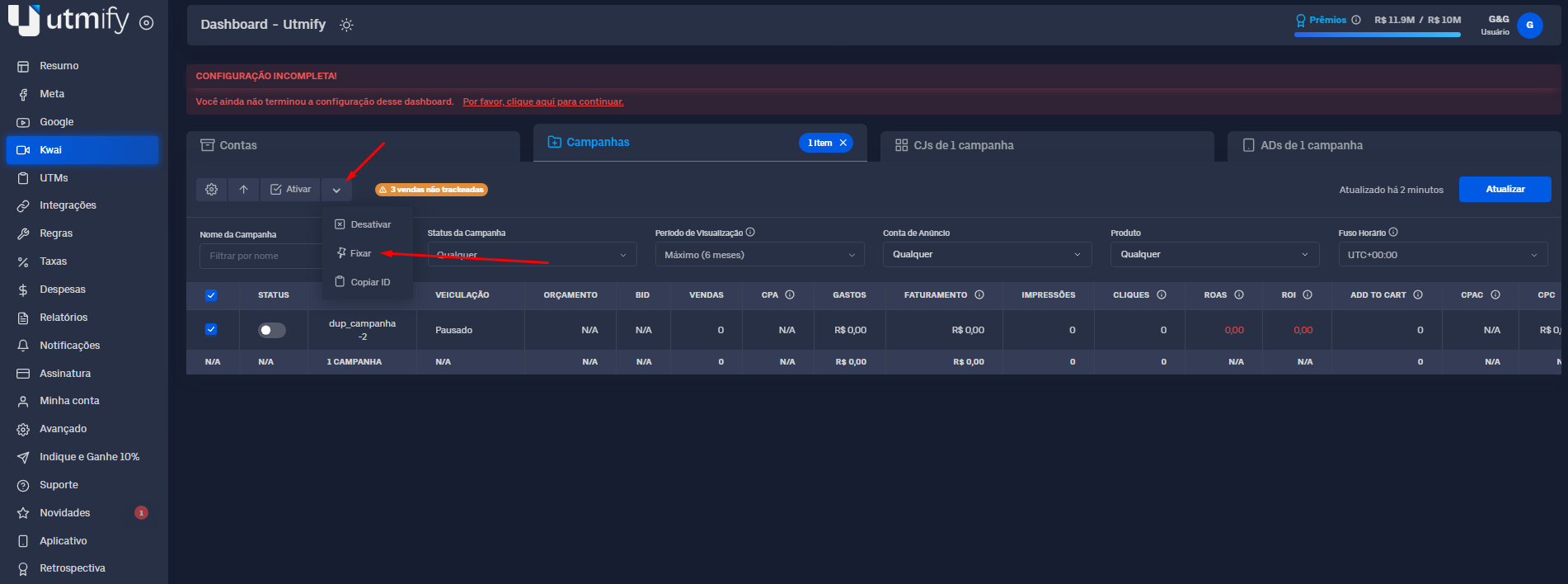
* Click the down arrow and Pin:
***
#### 🛠️ Extra resources
These are additional features to enhance the experience and optimize your operation within the Kwai tab.
***
⚙️ Add, delete, and reorder metric columns
{% embed url="" %}
***
💡 **Tip:** Use filters to visualize, in detail and accurately, only the most profitable data, in order to optimize and make assertive decisions.